Rtx 4090 部署大模型 20240306
配置
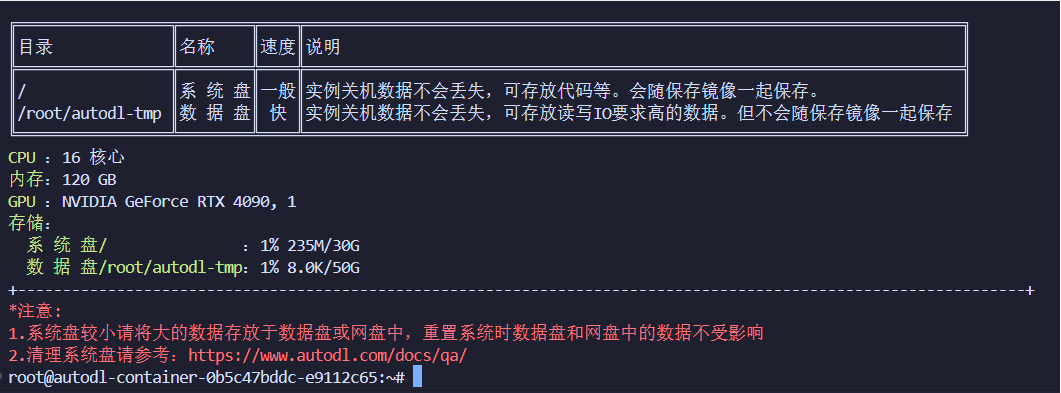
操作流程
1. 创建虚拟环境
conda create -n mistral python=3.10
2. huggingface.com超时问题解决方法
https://blog.csdn.net/puiopp63/article/details/135880302?ops_request_misc=&request_id=&biz_id=102&utm_term=Failed%20to%20connect%20to%20huggingfa&utm_medium=distribute.pc_search_result.none-task-blog-2~all~sobaiduweb~default-3-135880302.142^v99^pc_search_result_base9&spm=1018.2226.3001.4187
- 使用huggingface 官方提供的 huggingface-cli
3. 下载模型权重
huggingface-cli download --resume-download --local-dir-use-symlinks False mistral/Mistral-7B-v0.2 --local-dir Mistral-7B-v0.2
4.用4-bit量化模型进行推理调用
- 参考链接 https://juejin.cn/post/7294509366555197503
-
直接调用mistral-7B-instruct-v0.2在1卡4090 24G会报错,显示内存不足
- [-] 微调模型 汇总: https://www.cvmart.net/community/detail/7558
问题1:下载8x7B大模型 把30GB系统盘占满
原因:当使用 Hugging Face CLI 下载模型时,默认会先将模型文件下载到 /root/.cache/huggingface/hub 目录下作为缓存,这样做的目的是为了支持断点续传等功能。
解决方法:你可以手动移动 .cache 文件夹到一个空间充足的磁盘,并通过设置环境变量来告诉系统新的缓存位置。对于 Hugging Face 的缓存,可以通过设置 HF_HOME 环境变量来改变缓存文件夹的位置。假设你想把缓存目录移动到 /root/autodl-tmp/.cache/huggingface,你可以在你的 shell 配置文件中(如 .bashrc 或 .zshrc)添加以下行:export HF_HOME=/root/autodl-tmp/.cache/huggingface。记得在修改配置文件后重新加载它(通过执行 source ~/.bashrc 或重启终端)。
问题2: mistral8x7B out of memory
- 用flash attention2可以部署 ,但是推理速度非常慢,一道数学题10min没做出来
- 使用4bit量化后,仍然报错
ValueError: Some modules are dispatched on the CPU or the disk. Make sure you have enough GPU RAM to fit the quantized model. If you want to dispatch the model on the CPU or the disk while keeping these modules in 32-bit, you need to set `load_in_8bit_fp32_cpu_offload=True` and pass a custom `device_map` to `from_pretrained`. Check https://huggingface.co/docs/transformers/main/en/main_classes/quantization#offload-between-cpu-and-gpu for more details.
最后解决办法:升卡
This line appears after every note.
Notes mentioning this note
There are no notes linking to this note.